Categories: 904, GCT, Harbeck, photographic scavenger hunt, Sarah
Showing posts with label Harbeck. Show all posts
Showing posts with label Harbeck. Show all posts
Tuesday, April 21, 2015
Monday, April 20, 2015
Topic/ story line: Beginning with a figure, (a wooden drawing doll) looking at itself critically in a mirror because of the lack of interest/color that occupies its body, making him not original. Expresses envy for things that are colorful, decides to search for a way to make him different. Walks around my house/ school/ table etc. Finds something, man ordinary object (strawberry, chalk, cup etc. any thing colorful) and picks it up. He picks it up and decides to keep it, this happens a couple more times until he realizes that everything he had taken with him make him colorful (I will paint the doll the same color of the object that the doll touched). In the end he looks in the mirror and smiles.
Medium:
-Figure >wooden
-paint
-Paint brushes
-ordinary objects that are colorful
Plan: I will try to take most of my pictures at home to keep the lighting the same. I will edit my pictures at school.I will try to get all my pictures together and edited, as well as having the soundtrack by Thursday, and will try to publish it during that period.
Medium:
-Figure >wooden
-paint
-Paint brushes
-ordinary objects that are colorful
Plan: I will try to take most of my pictures at home to keep the lighting the same. I will edit my pictures at school.I will try to get all my pictures together and edited, as well as having the soundtrack by Thursday, and will try to publish it during that period.
Thursday, February 19, 2015
More details to follow...
Minimum 15 slides with images, 15 slides with titles (play with fonts and colours).
Each Presentation needs the following...
Minimum 15 slides with images, 15 slides with titles (play with fonts and colours).
Each Presentation needs the following...
- 20 photographs
- 20 Creative Typography for each topic
- Reflection on what you learned in your final slide.
- You are given 3 personal choice photos. Find something you are passionate about and make it awesome.
Tuesday, February 17, 2015
In Term 2, I've learned a lot from using Photoshop, camera and Imovie. I've learned how to make to make a pop art like Andy Warhol using Adobe Photoshop. I've also used Photoshop to enhance the photo that I've taken using the cameras for my Macro Madness and Photo Essay assignments. I've learned more thing about Imovie. I've learned how to zoom in to a certain things, to put video clips and edit them using the program, and to cut the video or picture to just keep the sounds in the background. During the process of making these four assignments, I had the chance to explore more by using the camera and using the different shots and angles.
For Term I would like to explore Photoshop more. I would like to learn how to put pictures into a picture that people would not recognize that I used photoshop. I would also want to learn how to animate a pictures.
Macro Madness
iMovie Reflection
Andy Warhol
Photo Essay
I learned a lot in term 2. I think our first activity we did was Photo essay and I learned how to make a story with pictures, it was really difficult for me to make my story. After finishing our photo essay, we learned how to ghost with the camera and practiced it for a few class, it was really cool but we learned that we need bright color to make it stand out. After that we did Andy Warhol which means we had to go full model to do this, but I learned how to use cutout in Photoshop
iMovie Reflection
Andy Warhol
Photo Essay
I learned a lot in term 2. I think our first activity we did was Photo essay and I learned how to make a story with pictures, it was really difficult for me to make my story. After finishing our photo essay, we learned how to ghost with the camera and practiced it for a few class, it was really cool but we learned that we need bright color to make it stand out. After that we did Andy Warhol which means we had to go full model to do this, but I learned how to use cutout in Photoshop
Monday, February 16, 2015
In this term I learned how to take photos from different angles. I also learned new and different things about photo shop in the making of my Andy Warhol pop art. I learned lots of stuff from Imovie too like adding photos, zooming in on the video, splitting clips and lots more. It was a lot of fun playing with Macro Madness, in this I learned that you can make anything even little things look interesting. In the photo essay I learned that you can take pictures and turn them into an essay or a story
In the process of making the yearbook I want to learn 1) How to make pictures into a collage using adobe photoshop and make them into an object like a torch or a bottle. 2) How to wrap stuff around an object like a set of clips around a torch 3) I want to learn how to apply a gradient color using photoshop. These are some things I want to learn during the term.
In the process of making the yearbook I want to learn 1) How to make pictures into a collage using adobe photoshop and make them into an object like a torch or a bottle. 2) How to wrap stuff around an object like a set of clips around a torch 3) I want to learn how to apply a gradient color using photoshop. These are some things I want to learn during the term.
Here are the things I have done in term 2:
Photo Essay:
 http://gctatsp2014.blogspot.ca/2014/12/sarahs-photo-essay.html
Warhol:
 http://gctatsp2014.blogspot.ca/2015/01/sarahs-andy-warhol.html
Macro Madness:
 http://gctatsp2014.blogspot.ca/2015/01/sarahs-macro-photography.html

Movie Reflection:
 http://gctatsp2014.blogspot.ca/2015/02/we-are-sargent-park-video-reflection.html
What I have learned.
In this term, the Andy Warhol assignment was very educational, here were many aspects of Photoshop that were still unclear to me, however by doing that assignment I learned how to use the lasso tool to select an object from your picture, and to add a new background behind the selected image. For the Sargent Park video, (We are Sargent Park) I learned how to use iMovie, and how to speed up a clip as well as changing the background music. I also learned how to edit certain clips in iMovie, like cutting out particular scenes and sounds. For the Photo Essay assignment I learned how to take more thoughtfull pictures, and how to follow and convey a particular story line through pictures. With the Macro Madness assignment I learned how to take extreme close ups with a magnifying glass and how to manually focus a camera because sometimes auto focus does not cooperate when you are taking shots from such a close angle.What I would like to learn:
For this next term I would like to work more with Photoshop because I know that there is still a lot to learn from that tool. I would like to use Photoshop for more than just enhancing images (if that is even possible). I would also like to learn how to make interesting formats for a book (yearbook) and how to make everything tie together well, because as you stated before, we will only individually do a couple pages on our own. There seems to be so many things that I would like to learn in the field of graphics, and digital art. I would love to learn more on how to make digital animations, work with more typeography, and maybe with some more filming.5 sentence reflection, on what you have learned
5 sentence paragraph about what you want to learn in the last term
Some stuff we learned include Macro photography, making a movie, making a photo essay, Andy Warhol pop-art pictures
Project Links:
Pop Art
Photo Essay
Macro Photography
Movie Reflection
In this term we learned how to take really close pictures and make them look good. We also learned how to make a movie (took some time). It took sometime for us to understand how to make a movie. Making pop-art was the probably the most fun I had because of how unique just one photo could be. It was also the most frustrating because confusing the instructions were at first. When we set out to make a photo essay, I didn't know what to do. So I just took pictures of my gaming set and some turned out fine. I also had a lot of fun writing the essay of my photo essay.
Project Links:
Pop Art
Photo Essay
Macro Photography
Movie Reflection
In this term we learned how to take really close pictures and make them look good. We also learned how to make a movie (took some time). It took sometime for us to understand how to make a movie. Making pop-art was the probably the most fun I had because of how unique just one photo could be. It was also the most frustrating because confusing the instructions were at first. When we set out to make a photo essay, I didn't know what to do. So I just took pictures of my gaming set and some turned out fine. I also had a lot of fun writing the essay of my photo essay.
Monday, February 9, 2015
In this post you will put everything you did in Term Two. You can re-embed or you can have links to your posts.
You need to have your
We will be doing yearbooks in this last term.
You need to have your
- Macro Madness
- movie reflection
- Warhol
- Photo Essay
We will be doing yearbooks in this last term.
Saturday, February 7, 2015
WE are Sargent Park Reflection

While making this movie for Sargent Park School, I realized a couple
things. One was that communication was vital in completing this task as a
group. In my case, I am used to working on projects alone or with a smaller
group of people, however trying to coordinate an entire class to work on the
same page was really out of my comfort zone. At first I felt I couldn't
properly express my ideas for others to hear, being that my voice is not the
most audible. That's when I realized that this project was much different,
instead of me just sitting in front of a screen and working on my own decree, I
would have to communicate, and would also have to do something a bit scary for
me, which is relying on others. I stressed out about this project to an
extreme extent, and had at least one sleepless night of just worrying about
what I could do. The problem was I could not just pick up a Mac alone and
finish the project myself; I would have to discuss my plans with others, and
again do the very dreaded talking thing. At first I felt I couldn't do that at
all, and that sent me to a low point, adding to much more stress for me.
I now had to
seriously think about what I should do in order to have an active role in the
making of this movie. I finally came to face the fact that in order to do this
I had to try to inch myself away from my comfort zone, and so I did, or at
least tried to. Ultimately I was able to contribute to some good ideas for the
group. It felt really good to help out, and I was flattered to hear that my other
rather artistically gifted classmates liked my ideas as well.
Another thing that I
had realized was that you can learn a lot from the people around you. I am so
fortunate to be in a class that is so diverse, inspired, and not to mention,
artistic. Everyone has their gifts and talents, and by working a bit closer with
them than normally, I could sample a bit of their talents and pick up a few
worthy techniques. For instance, I learned how to make an ordinary picture on a
movie more radiant by placing aesthetically appealing text, and changing its
transition. Additionally I learned how to take effective shots for a very specific
theme.
While making the movie: Working
on a deadline for such a big project may seem far fetched and almost impossible,
and I also worried if we could ever get it done on time. After making a plan
however, and having the work divided off we could actually start getting
somewhere. Our group worked on the transitions, and the beginning and end. We
would search the computer for interesting videos and pictures and search our
minds for any glint of a creative thought and then edit, enhance and crop away
at the rusty edges. We worked and talked and listened, and in the end the
results were satisfactory.
In summary, despite
being removed from my comfort zone, I feel that I was able to gain certain benefits
from this experience that will help develop my skills as a student.
~Sarah
https://flic.kr/p/kRT31F
(Picture by Blek/ Name: Caged Ideas)

~Sarah
https://flic.kr/p/kRT31F
(Picture by Blek/ Name: Caged Ideas)
Friday, February 6, 2015

Sargent Park Video Reflection
We were working on a video about showing what Sargent Park is and we we're suppose to use the i movie to make the video. I think the hardest part is like you have to take the pictures and videos of the elementary kids. It's hard because we have to make sure that the length of the videos fits the appropriate time. Also when you download the pictures and videos that you took, and put it in a folder. You have to like sort them so it's easy to find.
Sometimes there's like kids that doesn't have permission to be in a video or and photographs, so it's sometimes hard to find an angle where those kids can't be seen. Maybe next time, if there's another group work, I should be in a small group because it's hard to work with a big group. But I had lots of fun working with them. Also learn a little bit about working on i movie. The pain of working this assignment is that we were crowded in one place.
http://1.bp.blogspot.com/-_NPG8HJbFs8/U0YU4bLI1WI/AAAAAAAAASU/A2h3TmYp7vo/s1600/Emoji_Question_Smile_Face.png
Now that we have completed a movie project on time I would like you to reflect on the process.
In a 12 sentence (ish) reflection please talk about the process of making a movie, new techniques you learned and the pains and smiles of working in a group.
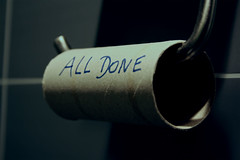
Please find an image to show your emotion of what it was like to work in your groups.

Labels are We are Sargent, Harbeck, reflection
Friday, October 17, 2014

Monday, October 6, 2014

Hey there everyone. Here are the assignments that are due so far.
File Folders on the S Drive
- All photos are in their proper folders
- All photos are named
- Google Presentation is embeded at a blog post called Shots and Angles
- Have an image for every slide. Your own if possible
- Extra marks for using your presentation skills to make the slides more appealing to view
- Select 10 photos Put one on a seperate slide at Google
- For every photo do a photoshop elements edit. Add these to new slides in your presentation
- Inbetween the two slides please have a slide that explains what you did to the photo
Thursday, September 18, 2014
Subscribe to:
Posts (Atom)


