Showing posts with label Remembrance Day video. Show all posts

Thursday, November 13, 2014

Theresa's Remembrance Day Reflection


I chose this picture because even though people sacrificed themselves for our country, we still celebrate in memorial for they died as heroes on the battlefield. We may miss our loved ones but they would not want us to be in sorrow,  they would want us to  be happy and remember how they saved us. We wear a poppy to remind ourselves about the sacrifice they made.


I had never used a mac or iMovie before so I really didn't know what to do. Mika and Sophia added the citations but I don't know how. I know that there's a text feature in iMovie but it's tricky for me to use. Patricia and I both just added our voices in. We had to do a few takes before we could get it right. They were just small mistakes like noises in the background, forgetting the words and so on but other than that, it was pretty easy, other than working with iMovie for the first time, getting used to it and figuring out how to use the microphone.

During this project, it made me think a bit more about the people that died during war and how it's affected us in the long run. I can't really explain it but I've come to appreciate Remembrance Day more.

Andrea's Remembrance Day Reflection

http://www.google.ca/search?as_st=y&tbm=isch&hl=en&as_q=fighting+to+cease&as_epq=&as_oq=&as_eq=&cr=&as_sitesearch=&safe=active&tbs=ift:jpg,sur:fm#safe=active&as_st=y&hl=en&tbs=ift:jpg%2Csur:fm&tbm=isch&q=soldiers+shaking+hands&facrc=_&imgdii=_&imgrc=aPmxzvv5__fcOM%253A%3Bd84g6AF5XjYJaM%3Bhttp%253A%252F%252Fupload.wikimedia.org%252Fwikipedi
a%252Fcommons%252F9%252F99%252FSpotkanie_Sojusznik%2525C3%2525B3w.jpg%3Bhttp%253A%252F%252Fen.wikip
edia.org%252Fwiki%252FGermany%2525E2%252580%252593Soviet_Union_relations_before_1941%3B680%3B470


I learned many things about Remembrance Day. They sacrifice thier lives for us to live.


vfff


http://youtu.be/shJQ-7lAz4s


Steps:
  • Spilt each slide into four people
  • Search pictures that fits with the poem
  •  seperates picture with words
  • Changed font
  • Arrange words on each slide
  • put photos as backgrounds
  • Put it all together in imovie
  • put photo's in order
  • Add audio in the video


What I learned in Imovie:
  • Ken burns
  • You can add audio 
  •  You can fix the photo by making it longer so you it can match the audio you put
  • You can add effects
  • How to add photos


http://youtu.be/shJQ-7lAz4s

Lizley's Remembrance Day Reflection


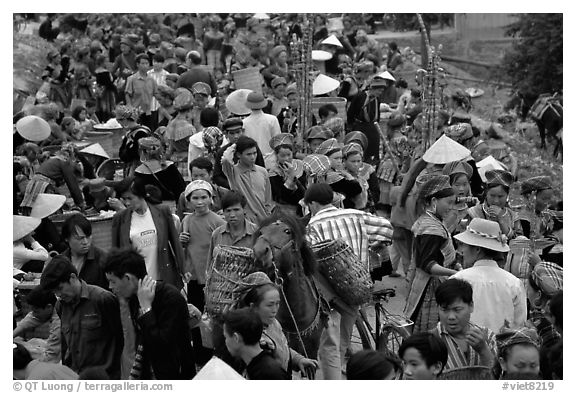
This photo is phtotshoppdd by me. It's a collaboration of the photos I like. I chose the picture with the soldiers because it show the soldiers' real feelings with war. The seem tough to our sight but in reality, they're also people like us, who have feelings. And also I put the photo with a crowd of people because it shows the people the soldiers are dying for. And then, I used the poppies on the background.


https://www.youtube.com/watch?v=shJQ-7lAz4s


Steps:

  1. I made a presentation in Google Drive then shared it with my group members.
  2. We copied then paste the poem to our Google Drive then divided the poem into four for each of us.
  3. We looked for images for our stanzas.
  4. We pasted the images on our slide and pasted the links on the Image Citations slide.
  5. We added some typography on our slides but those were not included in making the video.
  6. We put the images to iMovie.
  7. Then we added audio.

What I learned in iMovie
  • There is an effect called Ken Burns
  • How to add audio
  • How to add photos
  • You can add effects


Photo links

Hannah's Remembrance Day Reflection


We were only given two days to finish our movie. It was a lot of fun when we recorded our voices, we had to restart so much times because we were in such a hurry and we had to connect to the server several times because the photos that we put on the s drive were wrong, so we had to go back to Google drive and edit the photos again. It was hard but we finished it on time. 

Steps:
1. We put the photos into iMovie
2. We recorded our voices
3. Edited the length of the voices 
4. Put the Citations

Remembrance day reflection


The process of making this video for Remembrance Day wasn't that hard. its just a matter of patience and uploading stuff into other stuff for you to put everything together. I learned that the majority of the homeless are veterans. We don't appreciate the work they have done for us especially those homeless veterans, because they offered their lives to let us be free and the least we can do is help them the way they helped us.

I chose this picture because it caught my eye and its very symbolic and touching. To those who lost someone very close or a family member at war we thank them for what they did. When you're out there the most important thing to fight for is your country and the people you're with, you may not know them but they will for sure have your back.

Jayson's Remembrance Day Reflection

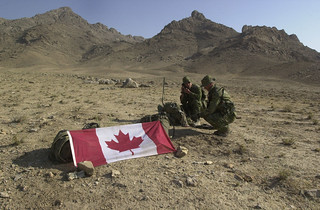
Operation Enduring Freedom
https://www.flickr.com/photos/imcomkorea/3047189468/in/photostream/


.


I made this video by first getting a group. Harbeck placed me in a random group and we were given a list of poems to choose from. Our group chose the poem "A Wish" by Maxine Kendall. When all the groups were assigned a poem, our next task was to search for pictures that match what the poem was saying and dump all of it into a Google drive post that is shared with the whole group and Harbeck. I was given a section of the poem which reads,

"I could despair of seeing
peace throughout the land,
no longer hearing talk of war,
blood with desert sand"

The hardest part about this assignment is that I had to do was to find pictures for each sentence. I only came up with two pictures for this whole paragraph. The photo I did for "no longer hearing talk of war, blood mixed with desert sand," was the best picture I've found relating to the sentence.

After getting the pictures, we put all of the groups pictures into iMovie. We had to put voice overs for the pictures to actually make the movie. I was the one who had to edit the movie and the girls did the voices. I had a lot of fun doing this project with my group and I feel proud that it got shown in the Remembrance Day Ceremony. 


Mika's Remembrance Day Reflection

iMovie was really difficult to work because one, I never used it, and two, I never used mac. We didn't know how to put fonts on top of fonts on iMovie so what we did was put fonts on google drive presentation and print screen all the slides. Each of us had a job, my job was to put fonts on pictures, print screen, and send it to them. Sophia is in charge of arranging pictures, Theresa and Patricia is in charge of keeping us in task. It was really stressful because our pictures was all plain so I put fonts on it and it was our last day to work on it so I had to rush putting fonts. I wasn't with my group the whole time so I didn't know how they use iMovie. After I send them the pictures, we arranged it to proper place, record our voices, add some transition and we're done! I can't believe we finished everything in one day though. The problem in our video is that our audio is really bad, our voices are quiet, and I didn't pronounce my words properly.

Patrick's Remembrance Day Reflection


https://flic.kr/p/5UfNeZ


https://www.youtube.com/watch?v=6iIXkvoXlWw

The process on making this video for remembrance day wasn't easy. We had to look for the perfect pictures that paints an image into the readers' mind of what the poem really says. We had a deadline and we met it, we only had 3 days to perfect this assignment and we did. It wasn't easy doing it it took time to make this beautiful project.

It took the whole groups' effort to finish this project and it was a huge success. The pictures we used in the poem were really strong and in my opinion I had a huge effect on the peoples' heart. I used the picture of the poppy because the names are all the soldiers that have died for our freedom and the poppies represent them.

Tuesday, November 11, 2014

Denice's Remembrance Day Reflection


I choose this photo because my part was to find a picture of children holding each others hands. Tried to find a picture of children holding hands but all i found was couples and stuff. And besides I think picture has a lot of meaning to it.

    Steps:
  • Putting all the photos from our Remembrance Day group folder.
  • Delete some that we didn't use.
  • Putting the photos in order.  
  • Record our voices
  • Edit the voices.
  • Putting the Image Citations
I've never used iMovie before, so I didn't even how to use it but it was fun  learning new things with people who doesn't know how to use iMovie either. I've never used mac before so i didn't know how to put photos in or record and edit the recording. But now i know but I'll probably forget the steps anyways. This our short film it was mostly Jayson who did the work so I thank him for that. Jayson didn't want to talk because he said it will be weird because there is 3 girls and 1 guy talking. I was fine with that I didn't care but everything turn out good except for the intro, I hope there is more assignments like this but not showing it to the whole school.
Photo:
http://upload.wikimedia.org/wikipedia/commons/0/03/RIAN_archive_398877_Festivities_in_Vladivostok_to_celebrate_International_Children's_Day.jpg